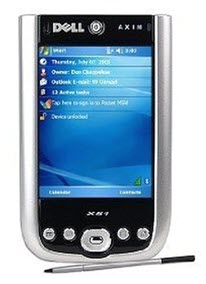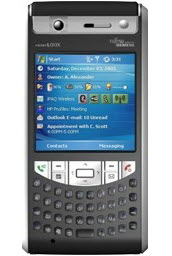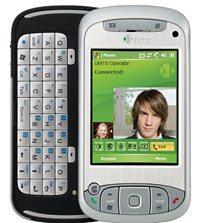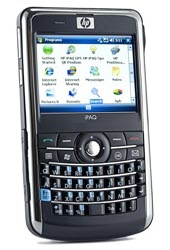
It was a bit over half a year ago that I've published
my previous, "Advanced sound recorders on the Pocket PC" article on the audio/voice recorders for the PPC. The feedback was very good - the article
has landed on the Pocket PC Thoughts frontpage as news and was also recommended
in this Pocket PC Magazine article, in addition to some other references (for example
this).
After publishing the article, I've written several others:
one on Vianix Pocket Talk Enterprise Pro (
alternative);
another on Yoho Voice Recorder Version 2.03; finally,
here's a summary and a comparison to the GSM codec.
Because of the high demand for a really complete (not just an overview of "really advanced" recorders) roundup of audio recorders, I've decided to make a brand new one, this time collecting all the available sound recorders, even old ones.
Compared to the previous article, in the present one, you can find much more reviewed applications, much more features tested and listed, much more Pocket PC/Windows Mobile versions compatibility tested on, much better (non-microphone-based) sound input, just to name a few improvements.
A brief history of sound recording on WindowsCE devices
WinCE devices have not always had sound recording capabilities - the first
Windows CE version (1.0) didn't have it. The first device to have built-in, headset-less sound recording was the
Philips Velo 1 (see
this comparison), which started it all, with its
TrueSpeech encoder. TrueSpeech is a very memory-friendly recording format - it uses about 8 kbit/s (
kbps for short) encoding, so, it only fills up 62 kbytes in a minute, which, back in 1997, was tolerable. Don't forget that, in 1997, memory cards were 16 Mbytes at most and the Velo 1 only had 4 or 8 Mbytes (depending on the configuration) of built-in RAM. Therefore, using more memory-hungry recording formats like the to-be-shortly-intruduced
PCM was out of question at that time.
Microsoft, having seen the success of the add-on voice recorder of the Velo 1 and the demand for such a thing (for example, back in 1997, I was also in a dilemma when I had to choose the right H/PC: the HP 320LX's then non-standard 640 pixel wide screen (as opposed to the 480 pixel-wide screen of the other models) or the Velo 1 because of the sound recorder. Finally, I went for the HP), has decided to build in it in the
WindowsCE 2.0 core. They have also added support for (comparatively, as opposed to TrueSpeech) high-quality, but really memory-hungry
Pulse Code Modulation (PCM) recording capabilities and another, low-speed speech encoder, the
Mobile Voice.
PCM in WinCE 2.x devices didn't necessarily mean high quality. Most Windows CE 2.x devices (regardless of them being a Palm-size PC (Ps/PC) or Handheld PC (H/PC)) only had the ability to
sample the sound input at either 8 or 11 kHz, which
means the highest sampleable frequency of around 4 / 5.5 kHz. There're very few exceptions - the only one I know is the Philips Nino 200, which can go up to 22 kHz, resulting in a much better recording quality. (Incidentally, I used the Nino 200 quite much in 22 kHz mode. It worked flawlessly, which certainly shows that even such an old, early-1998, underpowered, Windows CE 2.0 model was certainly able to encode sound at an already good sound quality.)
TrueSpeech was left out from several 2.x devices (for example, the HP Jornada 680 and the Nino 200) because of the new, Mobile Voice vocoder (voice encoder; this means it's meant for encoding voice only). The most notable exception was the Casio Cassiopeia E-15, which did have TrueSpeech, in addition to Mobile Voice.
Then came year 2000 and
Windows CE 3.0, which is the core of both the H/PC 2000 and the Pocket PC 2000 operating systems (OS). The former OS had support for PCM coder/decoder (codec for short; I don't use the word 'vocoder' here because PCM can also be used to record music/anything else than plain speech) up to 44 kHz (which was certainly very good news), while the latter still sticked to the "11 kHz at most" model, while adding a whole slew of new codecs.
It was with WindowsCE 3.0 that the GSM codec was introduced as a new low-speed vocoder supported by all WinCE 3.0-based devices, which is a well-known and, as opposed to TrueSpeech/Mobile Voice, industry-standard vocoder. Its sound quality, however, was only marginally better with considerably higher CPU load than the two older vocoders.
In most H/PC 2000 devices like the Jornada 720, the two old voice vocoders were completely dropped (that is, the 720 only supports PCM between 8 and 44 kHz and GSM), while, in Pocket PC 2000 (PPC2k) devices, they have been kept and, along with the GSM vocoder, a brand new, medium-quality codec was introduced,
ADPCM, which offered significant storage usage reductions compared to PCM at slightly worse sound quality.
On the other hand, the PPC2k operating system still only supported 11 kHz as the maximal sampling frequency, which made it impossible to make really quality recordings with it.
A screenshot of the system codecs/vocoders available under PPC2k:
click for screenshot
Please note that it's the operating system that doesn't support recording or letting third-party apps record at 22/32/44 kHz and not the hardware. That is, if you, for example, upgrade the originally PPC2k iPAQ 31xx/36xx series to Pocket PC 2002, they become able to record using the higher sampling frequencies. This means their hardware
does support high-quality recording (even the underpowered Nino 200 was able to do so two and half a years before), it's just the operating system that doesn't make it possible.
It was only in
Pocket PC 2002 (PPC2k2 for short), introduced in Autumn 2001, that more-than-11 kHz sampling frequencies were introduced. In all PPC2k2 devices, you can record into PCM at 8, 11, 22 and 44 kHz.
Unfortunately, on the other hand, support for ADPCM has been dropped from PPC2k2+ operating systems (along with the two old vocoders, TrueSpeech/Mobile Voice). This means with a PPC2k2+ device, if you don't use additional, third-party codecs, you either end up having to waste a
lot of memory (PCM) or stick to a low-quality, voice-only vocoder (GSM). A screenshot of the provided system codecs/vocoders (the same stands for all PPC2k2+ OS versions):
click for screenshot
Sound quality
In the introduction, I've briefly elaborated on the sound quality the codecs/vocoders built into WinCE offer. You've also seen that the operating system doesn't contain any quality music-capable encoder that would have moderate storage needs (PCM has huge).
Yes, you do need a third-party, preferably
MP3,
WMA or
Ogg encoder if you want to record in high quality, but without the huge storage requirements of the PCM codecs.
Also, because the GSM vocoder isn't the best quality-wise, you may also need a third-party vocoder, most importantly
Speex, which offers far better sound quality, excellently suited for recording many speakers at the same time with only slightly increased storage requirements.
In the following two charts (one for encoding general audio including music and one for strictly voice-only vocoders), I depict all these techniques, along with their storage requirements and subjective quality at the given storage requirement. I've also listed their processing requirement (CPU load) on a lower-end WM2003 PDA (iPAQ 2210) to see whether they can be implemented in a underpowered PDA (don't forget that even the fastest PDA of today has the processing power of like a 40 MHz Pentium I at most!) at all. The numbers in the parentheses are typical CPU usage on a current PDA, based on my extensive measurements.
Generic sound (everything refres to mono encoding because no current Windows CE devices have stereo microphones or sound input, except for the very-very expensive
PDAudio card):
| Encoding: | PCM; very low processing power (5-10%) | ADPCM; low processing power (10-20%) | MP3; moderate processing power (30%) | OGG/WMA; very high processing power (80+ %) |
| High quality (44 kHz) | 704 (44100*16) kbps (16 bit) | 150-300 kbps | 56-64 kbps | 32-48 kbps (won't work with current PDA hardware) |
| Medium quality (22 kHz) | 352 kbps (16 bit) | 80-200 kbps | 32-56 kbps | 24-32 kbps |
| Low quality (11 kHz) | 176 kbps (16 bit) | 50-100 kbps | 16-24 kbps | 12-24 kbps |
Note that with PCM, I emphasized the given figures refer to the 16-bit mode. Using 16-bit quantization may be an overkill with some Pocket PC's because of the low signal-to-noise ratio they have. Therefore, you must test your PDA whether its sound input unit is good enough to produce much better (read: much more noise-free) results with 16-bit recordings than with 8-bit ones. If you compare for example
this 16-bit and
this 8-bit PCM files, you will definitely hear that the latter is much more noisy because it only uses 8-bit samples and the sound input unit of the test PDA has a definitely better
signal-to-noise ratio (SNR) than the maximal 48 dB a 8-bit system allows for (for comparison, 48 dB is still much better than the 26 dB of AM broadcasts of the 38-44 dB of non-Hi-Fi VHS in SP - full speed standard play - mode).
With other, highly compressed formats, there's no separate 8/16 bit mode; this is why I haven't separated the 8-bit and 16-bit modes with them.
Incidentally, you can find the encoded sample files of some PCM codecs and the GSM vocoder
here. The naming convention of these files is as follows: first comes the name of the codec (either PCM or GSM), then, if applicable (it isn't with GSM), the sampling frequency (8/22/44 kHz with the PCM samples) and, finally, the quantization (8 or 16 bits).
The input of these files can be found
here (speech with some ambient music) and
here (music). Both of these WAV files have been extracted from the
Finnish movie "Star Wreck". I've chosen this movie because it's freely available and, therefore, using/distributing voice/music extracts from it won't result in any legal problems. (And, furthermore, it's a very good movie. Give it a try if you haven't done so!)
In the tests, I used these two input files; first with the voice conversation and then, with the music so that all the results of the tested codecs/vocoders can easily be listened to with both types of (most common) recordings.
Please note that all the downloadable samples start with some silence - the Pocket PC I've made the recordings on, the Fujitsu-Siemens Pocket Loox 720, makes it necessary to connect the wired microphone/sound input
after starting the recording. This is why I needed to start the recording first and only after this connect the sound input (which was a desktop computer using Windows Media Player to play the WAV files).
| Encoding: | GSM (TrueSpeech/ Mobile Voice); moderate processing power (35%) | Speex; high processing power (60%) |
| HQ | N/A | ~20-40 kbps |
| MQ | N/A | 15-20 kbps |
| LQ | 13 kbps | 8-15 kbps |
Unfortunately, as far as especially very low-speed voice encoding is concerned, there're no miracles. That is, while at encoding generic sound, the compression ratio of MP3 (and, even better, that of Ogg) is excellent, compared to PCM, you can't have much better sound quality at comparable speeds to the GSM vocoder/much lower encoding speed with vocoders.
However, if you need to have to have very good quality, new vocoders like Speex will let you make excellent (voice) recordings at definitely lower bit speeds than with 'generic' sound encoders.
This means you can make excellent voice (for example, conference) recordings with Speex at, say, 18 kbps, while you'd need to use about 40 kbps with an MP3 recorder to be able to record speech at the same quality. That is, it's certainly worth sticking to a mainly-speech encoder when you do know you won't encode music.
Are current PDA's able to record in high-quality at all?!
Well... yes and no. Depends. Unfortunately, very few of the recent PPC PDA's (the Toshiba
e series, the Asus A730/730w, the Dell x50v/x51v, the above-mentioned Fujitsu-Siemens Pocket Loox 720 and the iPAQ 5450/5550/hx4700) have a direct mike input ring in their headphones jack. Furthermore, this input is mono only - there're no PDA's with stereo sound inputs at all.
What is worse, it's impossible to come up with a CF/SD card that would have direct sound feeding via the card bus to the inner hardware - the current card busses just don't support this kind of functionality. Incidentally, this is why
there're no TV/radio/GSM CF/SD cards that could directly route their sound through the host PDA either.
Note the word '
direct'. The, up to now, only external digitizer card,
Core-Audio's PDAudio-CF card digitizes the audio, and only after that does it send the (digitized) sound over the CF bus. This is certainly possible because it's simple data communication. However, it's impossible to send over any non-pre-digitized (that is, analog) signal over the CF bus - it's just not have a direct, analog pin (or pins) to receive sound input from the outside world. If it had, someone would already have come up with a CF-based GSM card/radio/TV receiver/etc. card that is also able to route its sound through the PDA.
Furthermore, up to now, there're no quality (meaning: not just GSM-quality), let alone stereo/multi-channel, BT input profiles for PDA's, so you can't use BT either to input high-quality sound into your PDA either.
So, is it worth at all to use PDA's for quality sound recording, using a vocoder/codec considerably better than the built-in GSM/PCM? The answer is yes. Much as the sound quality of current PDA's is severely limited compared to even basic Hi-Fi equipment, they're certainly better (and, compared to digital ones, much cheaper) than current, dedicated, digital (and, for that matter, analogue) dictaphones (as far as voice recording functionality is concerned).
I've compared the frequency response, the noise level etc. of a lot of PDA models and found out that most current devices have tolerable frequency response, which makes using at least 22 kHz sampling frequencies and decent, 16-bit encoders highly recommended. Let's kiss GSM encoders good-bye - fortunately, recent PDA hardware has quite good microphones and sound input.
Do you want to know how exactly some PDA's (in this case, ones manufactured in 2003) sound? Browse
these example recordings. Some explanation: there're two directories with four subdirectories each (for the iPAQ 3630, the iPAQ 2210, the iPAQ 5450 and the Asus 620BT) in the ZIP files. The two main subdirectories separate the sample recordings of the four above-mentioned devices based on how loud the test music was. The 'quiet' subdirectory (it's separated into two ZIP files) contains recordings I've made with quiet sound source. The point in this test was to find out how the PDA's behave in situations like this: what they record, is the recorded sound hearable at all, doesn't it get drown in the sea of noise etc. The 'loud' subdirectory (two
loud*.zip files), on the other hand, used pretty loud sound to find out how much you can 'stress' the PDA hardware: will it record loud sounds with heavy distortion or not. Please note that, as the Asus 620BT has a built-in gain control, I've tested it with it set to minimal and maximal levels.
The test music was '
Tervetuloa (Intro)' from the album '
Sähkönsinistä Sinfoniaa' from the Finnish hard rock band
Kilpi. I've chosen this song because it has both strong basses and highs.
I've recorded the sound clips at the same time with the four PDA's, paying special attention to their microphone's seeing just the center of the loudspeaker playing the test music (as was the case with the other tests detailed in this review). You can see the test setup
here.
Recording modes
Now that we have a generic picture of what codecs are available for the Pocket PC, let's have a look at what you can use voice recording for.
First of all, everything depends on your needs - if you, for example, only need to take very short voice notes, the built-in codecs (especially the GSM codec) and the also built-in
Notes application will be sufficient for you. If, on the other hand, you must make quality and/or long recordings and/or need to be able to record in the background (so that you can do something else in a foreground task in the meantime - for example, look up contacts, take written notes etc), you
must use a third-party program.
The built-in Notes application, even in its latest incarnations, is not much different from the Voice Recorder shipped with WinCE 2.0 devices 7-8 years ago. It offers the same unique feature, in which it is much better than any other, third-party sound recorder application: the ability to make a quick voice note while not leaving the current application, by long-pressing a hardware button (assigned to the '
Record' functionality) if you configure Notes so in Options, in the '
Record button action':
click for screenshot
In addition, it's very fast to load. No other application loads and starts recording this fast. With several other applications, for example, if you need to start the recording with two, subsequent button presses (because you assign the same button to invoking the application and, inside the application, to start recording) you may end up waiting as long as a second or two to be able to press the button after the first button press so that the app really starts recording. This is certainly much worse than the lightning-fast Notes. With Notes, you just hold down the hardware button assigned to
Recording and you can start speaking right away until you release the button, which stops recording.
However, Notes has several problems, which make it useless for not-just-voice note taking applications.
First, it can't run in the background. The recording stops even if the operating system chimes in and shows some notification or when another process (for example, the desktop
Total Commander with the WinCE FS plug-in) accesses the storage card you're writing the sound file to.
Second, if you want to make long-time, quality recordings, the system codecs/vocoders will just be useless.
Third, it has no other, advanced features like fast playback, scheduling, built-in screen shutdown, record pausing, assignable buttons, VAS (Voice Activation System), AGC (Automatic Gain Control), LED flashing and the like.
This is where third-party sound recorder applications come into the picture. (Again, please note that if you only (plan to) use your PPC to record short voice notes and really nothing else, using a third-party application will not give you any clear advantage (on the other hand, just the opposite because of the slower loading time, the need for purchasing and setting them up etc).)
Third-party sound recorder applications
Please note that this section is more of a commented list and, because of the need for keeping this roundup as readable and "compact" as possible, not a detailed discussion of all the missing/existing features of an application.
It's in the comparison chart that you'll get the answer for all your questions, for example, feature-wise. It's just pointless to devote tens of thousdands of characters to the same subject that already exists in the chart, in a very compact form, along with linked screenshots (so that you know how the particular feature is accessible / exactly what I'm referring to).
I've tested all the codecs/vocoders these applications have, if they are different from the built-in GSM/PCM ones, and uploaded the encoded results to my homepage. I give the URL's of all the test recordings for each such application in the relevant subsection.
Note that there're two sections to follow: the first lists applications that have their own codecs, while the second lists the applications that only rely on codecs already contained in the operating system.
Recorder apps with their own (advanced) codecs
This app (Resco for short) is certainly, in most respects, the best, most up-to-date and featureful application. Feature-wise, it has everything you may need - for example,
Voice Activated Recording (VAS; more on this feature later, in the comparison chart description) or, which is really rare, real AGC. In a word, it excels in almost every area - except for the MP3 sound quality. In that, it has certainly the worst codec - it's just useless for making quality recordings.
In addition, the other 'quality' codec it has, the Ogg codec, has so big CPU load that you won't be able to use it with more than 22/24 kHz sampling frequencies on recent PDA's.
However, the built-in Speex codec makes this app clearly the best-suited application for high-quality voice recording. That is, if you want to have a really decent high-quality (that is, much better than GSM but with much less storage requirements than good-quality, 44 kHz MP3's) voice recorder application, go for Resco.
Note that the lower storage requirements of Speex is just one side of the coin. The other is the CPU load. If you want absolutely the best battery life and very good sound quality on the expense of storage requirements, you may still want to go for NoteM instead, used in 44 kHz/56 kbps mode. The latter has far lower CPU load, which also means far better battery life.
Unfortunately, the Speex codec isn't accessible on pre-WM2003 devices. On them, you have to turn to alternative solutions: on PPC2k2, for example, NoteM or ViTO SoundExplorer.
Please note that if you stop a recording and start another one too quickly, without waiting at least a second or two, Resco may fail at starting recording. Therefore, always wait some seconds before starting a new recording. Also, it's advisable that you at least exit and restart Resco after suspending your PDA if you want to make sure it does start recording.
The test sound files can be found
here; the three subdirectories in there contain the Speex/MP3/Ogg files, separated into distinct subdirectories. Note that I haven't made test records of
all possible combinations, just the most meaningful ones. For example, it's pretty useless to make a MP3 recording with 44 kHz sampling frequency under 20 kbps - the result will be horrible. The same stands for the opposite direction: it's useless to make, say, 40+ kbps recordings with a MP3 encoder used to sample sound at 11 kHz.
To be able to play the sample Speex files on the desktop, get
foobar2000.
This, unfortunately, no longer developed, free recorder application is one of the best sound recorders for the PPC. It "only" records to MP3 (no Speex or other, alternative codecs/vocoders), is pretty featureless (it doesn't even contain VAS), but the MP3 sound quality it offers at "Medium" (56 kbps) quality is far superior to that of Resco. Also, the CPU load of the MP3 encoder is clearly the best - it's even better than that of the built-in GSM codec.
Please note that NoteM is particularly sensitive to storage card format and fragmentation. It's important that you
optimize and, after the initial optimization,
regularly reformat your memory cards because, with a card that has been heavily used and not formatted, you may end up with long recordings that have serious skipping problems, especially after the first hour because of fragmentation. Please read
this article on formatting/optimizing storage cards; the article pays special attention to NoteM.
Another warning: unfortunately, if you press the Stop button while recording, NoteM sometimes (in about 1-3% of the cases; then, it just further displays 'Recording' and the CPU utilization jumps to above 90%) just refuses to close the file on the storage card, leaving a simple 138-byte-header on the card. The file can be fully restored with using chkdsk (please read
this blog entry on it) though. It's a good idea not to record anything else on the card though before the checkdisk operation, though, if you don't want to get messed-up contents.
You really should avoid doing the following during recording to minimize cases like this:
do not run other, CPU/memory-intensive tasks during recording. If you really have to, restart the recording before starting them and after finishing them, so that the loss can be minimized if NoteM refuses to close the files.
no not insert/remove memory cards to/from the other memory slot if there is more
You'll find the test files here.
It (ViTO for short) has built-in support for MP3/ADPCM recording and used to have (up to version 3.50 of VITO SoundExplorer - not VITO SoundExplorer 2005!) even a MIPS version (note that it's the "old", non-2005 version that had a MIPS version, not SoundExplorer 2005!), so, it runs even on some PPC2k devices.
Its MP3 codec is much better, even in the 64kbps mode, than that of Resco. It has several other features, for example, VAS.
The latter, however, has severe problems on WM2003+ devices (unlike on pre-WM2003 ones, where it works flawlessly and causes almost no additional CPU load). If you enable VAS and it's actively recording, the CPU load will rise over 90%, which is just unacceptable. This must be a WM2003-related bug. Comparatively, the pre-WM2003 (PPC2k), about four-five times slower, inefficient 150 MHz Casio E-125 stays usable if you enable VAS and record into MP3.
Unfortunately, the same stands for the Today plug it installs; on WM2003+ devices, its CPU load is very big (because of the scrolling text), as can also be seen on the following screenshot (pay special attention to the CPU meter at the top!):
click for screenshot
The first thing you do, after installing, should be disabling this plug-in in Settings/Today/Items.
Some remarks on the PPC2k compliance (this must be emphasized here and not just in the comparison chart because ViTO is the only MP3-capable sound recorder for the PPC2k platform). Please note that, much as the MIPS version of ViTO offers recording into WAV using 22/44 kHz sampling frequencies (and, into 22kHz MP3, as of version 3.5 - previous, MP3-enabled versions only offered the ability to record into 8/11 kHz MP3's):
click for screenshot
they won't work because of the already-mentioned restriction in PPC2k. Fortunately, the 11 kHz MP3 mode is still very good and usable albeit not really comparable to recording with a PPC2k2+ device at at least 32 kHz. In addition, as can be seen, ViTO can't use the additional Mobile Voice/TrueSpeech/ADPCM codecs available in pre-PPC2k2 devices.
Also, on PPC2k MIPS devices, the lower third of the screen is empty:
click for screenshot
This also means, unfortunately, that you can't set arbitrarily small values for VAS - unless the ambient noise level is very big and/or you speak loud, you won't be able to use VAS because it won't record almost anything.
As far as version 1.6 (released in January 2006) concerned, please see this blog entry.
(Please note that the above Web site is not guaranteed to work. If you are presented this screen if you go there, in addition to sending a mail, go to this thread and tell the author you're also having problems with the page.)
This is an extremely good music player. As far as its MP3 recording (and PCM) capabilities are concerned, it's certainly not as sophisticated as most of the applications in this test (there's not even VAS support); still, if you already have it, you may want to use it as a MP3 recorder too.
However, it has some really unique features; for example, a very good and configurable stereo tone generator with two independent channels, settable from/to frequencies and phase between the two channels. Unfortunately, it's restricted to work in the 20 Hz-20 kHz frequency range; you can't set higher frequencies (to, for example, find out which is the best to call your dog/chase away the mosquitoes.) On this screenshot, for example, I've instructed iPlay to go from 440 Hz on the left channel and from 10kHz to 5kHz on the other. (I've discussed the other, much more inferior PPC-based sound generator/oscillator solutions here.)
Note that the first thing you should do is switching off the by default enabled "Recurse subdirectories" (the button at the bottom center) in the file handler; otherwise, it'll be really slow at navigating local directories.
Interestingly, the FAQ states iPlay is not compatible with PPC2k2 devices. That's not true - it worked flawlessly on my iPAQ 3660.
It has its own, MCF format, which, unfortunately, is nowhere as good as Speex, taking everything (storage requirements and the CPU usage) into account. Unfortunately, there's little I could praise in this app - maybe the built-in editing capabilities and the ability to create self-extracting EXE files off the, on the desktop, pretty unknown MCF format, which automatically downloads and installs the needed player.
This folder contains the test recordings with quality 2 and 4. Note that the sound quality with even the best (4) quality setting is very bad.
You may also want to read this (alternative) review.
Resco Speech Personal Assistant (SPA) 1.32
This application, which is probably the predecessor of Resco Audio Recorder, is worth paying attention to in some respects:
it's the only app to provide "stealth mode" capabilities
it has three built-in 8 kHz codecs - one of them is an ADPCM one, which works on all platforms, even on PPC2k devices
it has PPC2k (even SH3!) compliance (unlike with all the other apps, except for MIPS (see ViTO))
Unfortunately, it's no longer developed further and the homepage of Resco doesn't contain any information on it. Furthermore, it has the following problems:
it's not entirely WM2003+ compatible: File/Session Manager will crash the application. Fortunately, you won't need it often - never if you would just record with the app.
click for screenshot
the bigger problem is that it has the Storage Card pathname wired into the main executable file, Spa.exe. This is really bad programming practice and makes the physical storage card(s) inaccessible in all systems that map them into the file system under a different name - that is, even on PPC2k/PPC2k2 (the op. systems that still only used the pathname "Storage Card" (with a possible '2' suffix with, say, the double PCMCIA sleeve or with additional ways of using two memory cards with the same PPC) to address the memory card) devices that have an OS in different language. For example, on my German language E-125, which uses the pathname "Speicherkarte", SPA can't access the storage card either.
To fix this, the traditional "hexedit" hack (to directly overwrite this path) won't work. That is, it's not worth trying to hack Spa.exe the following way:
click for screenshot
Some other screenshots:
This is the main configuration screen, where you set up the next recording. Note that it has a lot of goodies (VAS, the above-mentioned stealth mode, built-in screenoff capabilities and even - very rudimentary - scheduling capabilities):
click for screenshot
Here're the three codecs (which are, again, usable in all op. system versions):
click for screenshot
Because the ADPCM files it creates are non-standard (unlike with the ViTO ADPCM format), they must be exported into a WAV file from inside the app:
click for screenshot
In cases, this may be pretty problematic (I've tested exporting the same file on all the test PPC's; all of them presented the same error message so, it's not a WM2003+-related bug):
click for screenshot
You can listen to the ADPCM recording quality and also have a look at the packed, SPA-specific source here.
Recorder apps only recording with the codecs offered by the operating system
Applications from Pocco Software
This developer has several sound/voice-recording applications: Yoho Voice Recorder 2.03 (please read this review if interested); it's bigger brother, ProTone Voice Recorder and, finally, not counting in the MS Smartphone-compatible Echo Voice Recorder 1.20,
It's the latter that I've tested in this test because it's the most featureful app of all the above-mentioned three and, as they essentially use the same engine, my benchmarks/ measurements can also be applied to the two other Pocket PC recorders (without (some of) the extra features).
It, as with Resco, also supports the PDAudio card. It, however, has no built-in codecs at all - if you don't use the PDAudio card, it doesn't offer you anything, particularly if you take its very high price into account. Unfortunately, the same stands for the considerably cheaper (Yoho Voice Recorder costs $15.49) little brothers too - I just don't think they're worth purchasing.
I don't recommend this application either. Aside from VAS, it doesn't really have anything else to brag with.
Unfortunately, this (pretty mediocre) application isn't WM2003+-compliant. Upon starting recording, it freezes on WM2003 devices. Therefore, not recommended.
The comparison chart follows:
| Recorder application: | Notes | Resco SPA | em VoiceRecorder | NoteM | Vianix | Simbsoft | Wichita | Resco Audio Recorder | VITO 2005 | iPlay |
| Price | Comes with op. system | Not sold any more | $17.45 | Free | Not given on the homepage | $14.95 | $47.99 | $19.95 | $24.95 | According to the people here about $24; not directly cited on webpage |
| Last modified | Has been the same for years | 2002 | 07/24/03 | 10-04-2003, no longer maintained | 03/31/2004 | 04/07/04 | 05/2005 | September 2, 2005 | Mar-2005 | Constantly upgraded |
| Platform support:: Ability to record in the best speech/music format on a WM2003 2210? | + | +; \Storage Card wired in! | Crashes after starting to record - pre-WM2003 only! (also when you enable 'Always use default file name' in Settings/Record Settings) | + | + | +; with GSM codec, CPU usage was around 90%, with the slowest PCM, 35% | + | OGG: maximal SR 22 kHz; all others work OK | +; VAS code buggy (CPU load!) | + |
| ...WM2003SE PL720? | + | +; \Storage Card wired in! | See above | + | + | + | + | OGG: maximal SR 24 kHz; all others work OK | +; VAS code buggy (CPU load!) | + |
| ...WM5 Dell Axim x51v (A06)? | + | +; when writing to flash ROM, icons aren't constantly refreshed – much better in this respect than pre-WM5 versions writing to RAM! | See above | + (list problems) | + | -: Memory allocation errors, files in unplayable format; locked files | +; (list problems) | +; OGG: maximal SR 32 kHz; all others work OK | (This refers to the, as of 01/24/2006, latest version, 1.6)+; VAS code buggy (CPU load!); very likely to slow down | (This refers to the 12/30/2005 version:) Partly (was only able to record into WAV's, not into MP3's). When recording into MP3's, the "open" icon gets disabled only for a moment; then, it's enabled again |
| ...PPC2k2 iPAQ 36xx? | + | +; \Storage Card wired in! | + | +; even at 44kHz/112 kbps | + | + (but slows down PPC considerably with GSM, even without VAS - buggy?!) | + | MP3, WAV and RAF only; as far as MP3 is concerned, anything over 22kHz/1/8kbps is not recommended. 8/11/12 kHz modes work OK with any quality. | +; even at 44kHz/96kbps. Note that the app works far better on PPC2k2 than on WM2003+! | + Installer reported its not being able to locate the Program Files folder; otherwise, works OK even in 44kHz/96kbps mode |
| PPC2k (MIPS/SH3) support? | + | + (GSM/ADPCM/PCM); \Storage Card wired in! | - | - | - | - | - | - | + (up to the standard SE version 3.5; albeit a bit buggy, usable for 11 kHz MP3's) | - |
| VAS? | - | + | - | - | - | + | +; cutting must also be enabled for this to work (or VAS won't ever stop recording once started)! | + | + | - |
| Additional CPU usage of VAS while actively recording? (Everything measured on the iPAQ) | N/A | 0% | N/A | N/A | N/A | +~10% | +1-2% | Almost nothing unless the VAS panel is displayed; then, about +8% (that is, never stay on the VAS panel!) | About +50%; 95-98% instead of the default 46-49%; interestingly, it behaved MUCH better on the iPAQ 3660; the whole device remained much more responsive than the Xscale-based WM2003+ ones | N/A |
| CPU usage while not recording because of active VAS? | N/A | 0% | N/A | N/A | N/A | ~42% | Same as during recording (because it also records then); with the GSM codec, around 30% | Constantly 11-13% | 15-28%; depending on the noise level: in a quiet room, lower; with noises just below the VA level, higher | N/A |
| Built-in screenoff? | - | + | - | - (only in the player) | + | + | + (you need to explicitly assign a button to shut down the screen) | + | +; however, you can only shut down the screen automatially, not manually. | + |
| Can it be also configured to shut down screen immediately/after X seconds after starting recording, without the need to explicitly switch off screen? | N/A | + (only immediately) | N/A | N/A | - | - | - | + configurable auto screen off | + | - |
| Can it be configured to restrict what buttons can switch on the screen? (See ScreenLock) | N/A | -, any button will redisplay | N/A | N/A | -, any button will redisplay, except for D-Pad arrows. As opposed to other apps, don't use the Power button to shut down screen because, then, you won't be able to switch it off again. | -, any button will redisplay, except for D-Pad arrows, and have immediate effect, depending on local button config | -, any button will redisplay, except for D-Pad arrows; Options/Stop/Lock To Prevent Accidental Stop only shows an additional dialog to stop recording and has nothing to do with keylock | + excellent support for accidental powerups. The only one sond recorder app that has pretty good protection. | -, any button will redisplay, except for D-Pad arrows; after powering on the screen and staying in the app, the screen will either be sut down again (especially with the Power button) or after the pre-set value. The fomer is certainly a bug; the latter is very good to avoid powered-up screen, as opposed to all the other apps (except the even better configurable Resco) | -, any button will redisplay, except for D-Pad arrows; buttons have immediate effect |
| Recorder application: | Notes | Resco SPA | em VoiceRecorder | NoteM | Vianix | Simbsoft | Wichita | Resco Audio Recorder | VITO 2005 | iPlay |
| Buttons: One-button recording? Does it need to show the app window? | + (long press, only records while you keep it pressed) / - | - (assigned button only brings up app window; there're no HW buttons) | + (after explicitly configuring Settings/Buttons, you must also go to Settings/Button Settings and press the HW button you want to associate with the recording function. If it's the same as the Settings/Button invocation button, 2* short will start recording; the next press will stop. Also make sure you check 'Always use default file name' in Settings/Record Settings to avoid the need to click OK on the file name. No long-press.) / + | So-so: 2* short to start if there is an App button 5 on your PDA - can't be redefined. This means it won't work on the 2210. Stopping is assigned to App button 1 and can't be assigned to App button 5. / + | + (long keep: immediate start and record until button release; two short presses: start app and start recording until the third press). It even registers itself as the recorder app - did this right on both the 3660 and the PL720 (both having dedicated recorder buttons). / + | + (long or 2*short to start until next keypress)/+ | + (2*short to start; next press to pause/stop, depending on how you configure it)/+ | + (2*short starts recording; next short pauses / next long stops) / + | + (2*short starts recording; next short pauses or stops, depending on which one of the two (Record/Pause or Record/Stop) assign to the HW button) / + | + (2*short starts recording; next short stops. The next short after this, however, overwrites the just-taken recording because of the lack of using serial numbers.) |
| Button configuration? Support for non-standard, additional buttons? | - | - | functions; buttons | (same for all versions/devices) -; wired-in in all versions. Much as the registry entry of NoteM has an AppButtons subkey, it doesn't contain anything, so, not even registry hacking can be done. | - | +; nope | +; nope | +; nope, only iPAQ (this can be pretty confusing for newbies!) | +, dynamically gets the available button list (another example of the Casio E-125 here - as you can see, it's clearly superior to other apps in this respect) | Excellent (see the third row starting with "RBF" in here), albeit quite complicated for a newbie |
| Running in background/ totally hidden : Can run in background? | -, stops straight even when a notification bubble comes active | + | + | + | + | + | + | + | + | + |
| Stealth mode? | - | + (very good, doesn't even show up in 'Running Programs') | - | - | - | - | - | - | - | - |
| Blinking LED? If yes, can it be disabled? | - | - | + (all the three PPC's) /- | - | - | + (all 3) /+ (Misc/"LED blinks while recording" checkbox) | - | +/+ (General/Flash LED during rec) | - | - |
| Native VGA and Landscape support: Landscape (incl. 240*240 devices like the hw6515) support? | + | - | + | N/A | - | - | - (there's scrollbar in all dialogs & the main screen, but, on the latter, it's not usable) | + (excellent, native support) | + (excellent, native support) | - (!) |
| Native (non-SE) VGA support? | + | Quarter | + | + | Quarter | Q + full list | Quarter | +, fills the entire screen | +, fills the entire screen | +, fills the entire screen |
| Playback: Random positioning inside recording? | Only after stopping | Only with PCM/GSM, not in ADPCM | + | + (sometimes it won't position, though) | + | + | + | + (SPX positioning is buggy!) | + | + |
| Fast(er) playback? | - | + (2/4*, forward only) | +, 4-5* playback in both directions | - | -; has a revind/fast forward option with limited, settable duration | - | - | +, about 3-4 times faster playback in both forwards and backwards | +; 0.5...2, freely settable (see PlaySpeed Settings/Voice Pitch Lock) | - |
| Recorder application: | Notes | Resco SPA | em VoiceRecorder | NoteM | Vianix | Simbsoft | Wichita | Resco Audio Recorder | VITO 2005 | iPlay |
| Additional recording features: Auto recording numbering? | + | + | + | + | + | + | + | +, along with including the date (y/m/d) / time (h:m) in the filename | + | - (!) |
| Append new recording to file? | - | - | + | - | - | - | + | - | + | + |
| Recording pause/resume? | - | - | + | - | + | + | + | + | + | + |
| AGC | - | - | - | - | - | -, only static pre-amplification | - | + (it really works; albeit, not particularly useful with 16-bit formats) | - (only supports static pre-amplifying) | - |
| Scheduling | - | (only rudimentary: "Start after X minutes") | - | - | - | - | - | + | + | - ( only in player) |
| Continuing recording into main memory without excessive reconfiguration if you remove the card | + | Starting a new session, the checkbox won't be selectable | ? | - (several taps to reconfigure!) | ? | ? | - | +, automatically | +, automatically | ? |
| Other, misc stuff: Index points? | - | - | - | - | + | - | - | - | +; excellent, XML-based | - |
| Cut/paste/delete? | - | You can only delete individual recordings inside a session | - | - | insertion from another file; delete from between indexes | - | - | + | - | - |
| Can convert offline files? | - | (at least its ADPCM format to WAV) | - | + | + | - | - | + | + | - |
| Removed card, recoverability | - | ? | ? | OK | ? | ? | ? | SPX/MP3: OK | OK (chkdsk) | ? |
| Other goodies | - | ? | ? | Has a rudimentary player | EXE creation (overhead is about 40k); it also automatically downloads and installs the desktop player; samples are also included in this format | ? | ? | Player | Player with very good capabilities - three-point, freely settable equalizer and for example dynamic pitch control. Unfortunately, it has a comparatively high CPU usage. | Beautiful hi-res on VGA. Supposed to play a lot of formats (except for WMA), even FLAC (with an add-on). Client-server mode also supported. A really good player. |
| PDAudio explicit support | - | - | - | - | - | - | + | + | - | - |
| Recorder application: | Notes | Resco SPA | em VoiceRecorder | NoteM | Vianix | Simbsoft | Wichita | Resco Audio Recorder | VITO 2005 | iPlay |
| Codec support - All built-in codecs (GSM/PCM)? | + | - (only the thee wired-in GSM/ADPCM/PCM modes; with them, PCM CPU usage 11-16%; GSM 31-35%) | + (only them) | - | - | + (only them) | + (only them) | + | + (except for PPC2k) | PCM only |
| ADPCM? | - | +; not standard, but exportable to standard WAV | - | - | - | - | - | - | + | - |
| Sampling rates | N/A | 11kHz? | N/A | N/A | N/A | N/A | N/A | N/A | 11/22/44kHz | N/A |
| Bit rates | N/A | About 20 kbps | N/A | N/A | N/A | N/A | N/A | N/A | 44/88/176 kbps | N/A |
| Quality | N/A | Tolerable | N/A | N/A | N/A | N/A | N/A | N/A | Good | N/A |
| Average CPU usage | N/A | 2-12% | N/A | N/A | N/A | N/A | N/A | N/A | 11/22/44kHz: 28/34/40% | N/A |
| MP3? | - | - | - | + | - | - | - | Supports, but shouldn't be used (bad subjective quality) | + | + |
| Sampling rates | N/A | N/A | N/A | 11kHz and 44k | N/A | N/A | N/A | every | 11/22/44 | 32/44 |
| Bit rates | N/A | N/A | N/A | 16 kbps at 11k; 56 and 112 at 44 kHz | N/A | N/A | N/A | 32-320 at 44kHz; 8k-160k at 8kHz | 16, 32 at 11 kHz; 32k at 22 kHz; 64, 96k at 44k | 32-128k |
| Quality | N/A | N/A | N/A | Excellent | N/A | N/A | N/A | Very weak | Excellent | Excellent |
| Average CPU usage | N/A | N/A | N/A | ~22 % | N/A | N/A | N/A | 40-70%; the better the quality, the more | 46-49% in both high-quality mode | Both 32 and 44kHz modes (independent of the bit rate or the Safe/Fast mode switch): wildly varying between 40-70%; in general, around 60%. BTW, the app also contains a CPU utilization meter, but it's pretty unreliable; keeps switching between 1 and large values (around 80) |
| OGG? | - | - | - | - | - | - | - | + | - | - |
| Sampling rates | N/A | N/A | N/A | N/A | N/A | N/A | N/A | Theoretically, up to 44k; only up to 24k should be used on today's PPC's | N/A | N/A |
| Bit rates | N/A | N/A | N/A | N/A | N/A | N/A | N/A | 48-239k at 44kHz; 14k-41k at 8kHz | N/A | N/A |
| Quality | N/A | N/A | N/A | N/A | N/A | N/A | N/A | Excellent for a 24k recording | N/A | N/A |
| Average CPU usage | N/A | N/A | N/A | N/A | N/A | N/A | N/A | Extremely high; in mid-quality recording modes, around 90%; can't go further | N/A | N/A |
| Recorder application: | Notes | Resco SPA | em VoiceRecorder | NoteM | Vianix | Simbsoft | Wichita | Resco Audio Recorder | VITO 2005 | iPlay |
| SPX? | - | - | - | - | - | - | - | + | - | - |
| Sampling rates | N/A | N/A | N/A | N/A | N/A | N/A | N/A | 8/16/32 kHz | N/A | N/A |
| Bit rates | N/A | N/A | N/A | N/A | N/A | N/A | N/A | 4-44k at 32kHz; 3-42k at 16kHz; 5k-24k at 8kHz | N/A | N/A |
| Quality | N/A | N/A | N/A | N/A | N/A | N/A | N/A | Excellent | N/A | N/A |
| Average CPU usage | N/A | N/A | N/A | N/A | N/A | N/A | N/A | 32 kHz/q5/44 kbps: 85-86%; 32 kHz/q3/18 kbps: 55-58% | N/A | N/A |
| MCF? | - | - | - | - | + | - | - | - | - | - |
| Sampling rates | N/A | N/A | N/A | N/A | Not settable; 8k? | N/A | N/A | N/A | N/A | N/A |
| Bit rates | N/A | N/A | N/A | N/A | Quality: 1...5; doesn't change much. Net file size is about 2 kbytes/sec (10 kbps). | N/A | N/A | N/A | N/A | N/A |
| Quality | N/A | N/A | N/A | N/A | Very bad, about that of GSM | N/A | N/A | N/A | N/A | N/A |
| Average CPU usage | N/A | N/A | N/A | N/A | 2-8% in q1; 20-35% in q2; 45-52% in q4 | N/A | N/A | N/A | N/A | N/A |
Explanation:
Last modified: important to see how long the application has last been touched to see whether it's actively developed/upgraded.
Platform support:: Ability to record in the best speech/music format on a WM2003 2210? and ...WM2003SE PL720?: as you can see, every app is fully WM2003(SE)-compliant, except for ViTO (VAS bug!), em VoiceRecorder (fatal bug) and Resco SPA (because of the wired-in \Storage Card reference)
...WM5 Dell Axim x51v (A06)?: unfortunately, the situation isn't very good, as far as the current (01/24/2006) WM5 compliance is concerned. Only Spa, Vianix and Resco are 100% compatible; NoteM and Wichita, while they're able to record/play OK, have problems with the file list filenames (not a big deal though). The latest version of VITO SoundExplorer sometimes produces very nasty system slowdowns. The latest version of iPlay is only able to record into WAV files, not into MP3's, unlike under earlier operating system versions. Finally, the Simsoft application is produces memory allocation errors and files in unplayable format and is, therefore, useless under WM5.
...PPC2k2 iPAQ 36xx?: everything is compatble; Resco doesn't support the most advanced codecs/vocoders on this platform, though.
PPC2k (MIPS/SH3) support?: unfortunately, only old versions of ViTO SoundExplorer (NOT ViTO SoundExplorer 2005!) are supported. Resco SPA is also supported.
VAS?: a group about Voice Activation System. VAS is a very handy feature to pause recording when there's nothing to record (it's only the ambient noise that's present).
Additional CPU usage of VAS while actively recording? (Everything measured on the iPAQ): how much additional CPU load does the enabled VAS cause? As can be seen, it's only ViTO that causes problems under WM2003+.
CPU usage while not recording because of active VAS?: how much CPU load VAS causes when it's just actively monitoring the input to see when it needs to (re)start recording.
Built-in screenoff? : the ability to switch off the screen (even automatically) is a big plus in a decent (long-time) sound recorder application. In this group, in addition to scrutinizing the built-in support for this, I also elaborated on the following, even more advanced questions:
Can it be also configured to shut down screen immediately/after X seconds after starting recording, without the need to explicitly switch off screen?: in addition to manual screenoff, some kind of (preferably configurable) automatic screen dim functionality can grealt add the usability of the application
Can it be configured to restrict what buttons can switch on the screen? (See ScreenLock): the most advanced screen dimming algorithms should let for what for example the extremely useful ScreenLock is capable of. Unfortunately, only Resco is capable of this, with ViTO as the second.
Resco has three modes:
use any HW button to turn the display on immediately (that is, it works the same as, say, Pocket Windows Media Player's (PWMP's) display-off method)
the same as above, but the arrow keys don't turn the display on
advanced protection: it lights up the screen so that the user can tap a specific region. If there's no tap at the designated screen area for 5 seconds, the screen dims. If there is a tap, then, the same procedure is done once more, at the other corner of the screen. This is by far the best protection against accidental screen-ons, which would otherwise result in faster battery depletion. To avoid the need to tap the screen, you can, alternatively, use the Power button to switch on the screen immediately.
Buttons: : this group scrutinizes whether you can use hardare buttons to access the functionality of the given app.
One-button recording? Does it need to show the app window?: can you start the application AND the recording with one (or two) hardware button presses.
The second test shows whether the given application is capable of what Notes has always been capable of (since WinCE 2.0): to record (short) voice notes without actually showing the Notes GUI. Unfortunately, none of the other applications are capable of this.
Button configuration? Support for non-standard, additional buttons?: if there's HW button support, are they configurable? If yes, can you access the additional buttons on, for example, the Pocket Loox 710/718/720?
As can be seen, it's clearly the ViTO app that turned out to be the best in the second test - all ViTO applications have excellent support for buttons - for example, ViTO Remote (see the review here).
A side remark to software developers (except ViTO): writing good button support isn't at all complicated. I've described here how and where the PPC Registry stores button mapping information. It contains everything you'll ever need to write much better button support.
Running in background/ totally hidden : Can run in background? : it may be very important to take notes/look up contacts/etc. while still recording. The lack of support for this is probably the biggest problem with Notes.
Fortunately, all the tested applications are able to run in the background.
Stealth mode?: in this test, I've checked whether the applications support the "Stealth mode" functionality of Resco SPA. That is, they not only run in the background, but are also completely invisible in the task manager. This is very important in cases you want to make recordings when/where you aren't allowed to and people may check the list of your currently executing tasks.
Blinking LED? If yes, can it be disabled?: like the above - if you want to make secret recordings, its best if it's not blinking or can be switched off. In other cases, exactly the opposite can be required. In this, I've scrutinized the support (and the ability to switch off/on) for blinking LED's.
Native VGA and Landscape support: how do the apps behave in native (not just SE) VGA and in SE VGA/QVGA Landscape?
Landscape (incl. 240*240 devices like the hw6515) support?: as can be seen, the ViTO and the Resco applications are the only ones that can be used in landscape. em VoiceRecorder also displays a scrollbar so it still remains navigable. Unfortunately, other apps don't - including even the high-end iPlay.
Native (non-SE) VGA support?: how do the apps behave in native VGA. All remained usable. It's Resco, ViTO and iPlay that filled in the entire screen surface, in which they certainly behave very well.
Playback group: everyhing related to playback made easier/more featureful.
Random positioning inside recording?: a decent app should allow for random positioning during playback in the listened-to file. Unfortunately, this is not always the case.
Fast(er) playback?: an advanced feature is playing back the contents of a file faster to, say, find a given part faster. Several applications are capable of this; of current ones, Resco and ViTO should be mentioned.
Additional recording features group:
Auto recording numbering?: automatic numbering of recordings are not supported in every application. There will be cases using timestamp-to-filename-based solutions (where the resulting filename doesn't include the seconds, just, say, the minutes) instead of file counters when overwrites may occur. This is certainly a problem with iPlay if you plan to use it as a voice note recorder (a recorder that you often record a lot of small notes in rapid succession with).
Append new recording to file?: some advanced applications are capable of not only starting a new recording file, but also append the new recording to an already existing file.
Recording pause/resume? : one of the biggest missing feature of Notes (and, unfortunately, NoteM too) is the lack of pausing a recording. Fortuntely, all the other up-to-date recorder apps are capable of this.
AGC (Automatic Gain Control): AGC can be helpful if you want to compress the dynamics of a recording. Note that it's not really usable to "amplify" a very weak signal. That is, the fact that it's only Resco that supports real AGC should be a showstopper with all the other apps.
The question of quiet sound sources (for example, a quiet speaker that you'd like to record) comes into the picture. Assuming you use a non-noisy, that is, non-8-bit recording format, does AGC (or manual gain control) help in recording them?
AGC may be known for anyone that has ever seen a consumer (read: cheap), portable, battery-operated tape recorder that (mostly exclusively, at least in the cheapest price category) has AGC to set the recording level automatically to both avoid distortion because of going over the 0...3...6...9dB (depending on the quality of the tape used) threshold and, also, to amplify quiet sounds to be well above the noise level, which is pretty high with Compact Cassette-based systems.
In 16-bit recording (which means 96 dB Signal to Noise Ratio (SNR) and dynamic range, as opposed to the 45...55 dB SNR and 52...62 dB dynamic range of not-the-lowest-end Compact Cassette tape recorders), the need for AGC is much less than with both, SNR-wise, low-quality (Compact Cassette-based) analogue recorders and/or 8-bit A/D encoders. This means the 16-bit sound formats (MP3, Speex etc) are far more 'quiet' and have far better SNR than the PDA hardware itself introduces much more noise than the inherent noise of the PDA hardware / sensibility of the built-in microphone of the PDA. This means AGC/manual gain control won't help in making quiet sources more intelligible.
Please note that much as a lot of other sound recorder applications (including ViTO) also has a gain control slider, it is NOT an automatic gain controller - it just increases/decreases the pre-amplification, just as with some PDA's System/Sound applets. Also note that turning this up will result in problems. Unlike with analogue technology, you can't go over the 0 dB threshold when recording/digitizing stuff without distortion. With analogue technology, you can (however, the additional, post-0 dB dynamic range is only some 3....12 dB's, depending on the tape type and quality). This is why you shouldn't turn up your gain control to the max with VITO or other applications that support it.
So, is it worth using the AGC in Resco at all to make quiet sources more intelligible? To find this out, I've made three recordings of a quiet sound source (this case, an excerpt from the the Finnish Lord of the Rings audio book (ISBN: 951-0-27880-7; WSOY, 2003)). I used SPX, in the (by me) recommended 32 kHz/quality 3 (18 kbps) mode. As opposed to the regular speech tests, I waited some 5-10 seconds before starting to play the stuff so that the AGC can have time to 'kick in' and to reach its maximal amplifying.
The according files can be found here. As can clearly be noticed, the recordings with middle-level (50) and max-level (100) AGC level deliver no additional legibility, just very annoying noise level increasing during the pauses (which may be pretty known for anyone that have used AGC on tape recorders or old videos).
That is, you won't gain anything if you use AGC (or, for that matter, any kind of manual gain control) - quiet speech won't be more intelligible / won't stand out more from the noise introduced by the PDA hardware. They, however, do help in dynamics compression - you won't need to turn up the volume level on your amplifier that much to hear everything.
Speaking of the inherent noise of the encoders, I've also wanted to find out whether the Speex encoder in Resco is more noisy than, say, the MP3 codec of NoteM/VITO, its most important alternatives.
Speex has turned out to be very good in this respect: it has no more inherent noise than NoteM's MP3 encoder. This is certainly good news.
You can download the NoteM MP3 and the Resco Speex recording so that you can hear the difference yourself.
Scheduling: some apps offer the ability to schedule recordings. Of the up-to-date ones, both VITO and Resco offer scheduling capabilities. However, neither of them work OK without the well-known "wake up PPC to full power mode" Registry hack (see this free app or Tweaks2k2). Unfortunately, the help files / documentation of the two apps don't mention this - this is surely a problem with the documentation of both apps because non-expert PPC users won't have a clue about it. Without the hack, on WM2003 devices (WM2003SE included!), only 15 seconds are recorded.
Continuing recording into main memory without excessive reconfiguration if you remove the card: NoteM has a very big annoyance in that you need to reconfigure it (which means seven screen taps) if you remove the card from it and, while the card is removed, you would like to continue recording as easily as possible. Of the apps I have actively tested this, both Resco and ViTO were much better in this respect.
Resco automatically switches back and forth between using the main memory if you take out/put back the memory card. (Configuring the output is six taps, but, because of the just-described behavior, you'll rarely need to reconfigure anything.)
VITO also does this automatically in the CF card -> main memory direction; in the opposite direction, you have to choose the memory card again. It's two screen taps only, so not a big hassle.
NoteM is a clear loser in this: no automatic reconfiguration takes place and the manual reconfiguration takes seven taps.
Other, misc stuffIndex points?: index points can also be very useful. For example, ViTO automatically records index points to show when VAS has paused/resumed the recording.
Cut/paste/delete?: does the given application offer the ability of in-application sound file editing?
Can convert offline files?: of the up-to-date applications, Resco, NoteM and ViTO offer the ability for offline conversion.
The former (Resco) offers the ability to convert any format to any other format and is very nice.
As far as the two latter (NoteM and ViTO) are concerned, both of them offers two bit speeds, both will default to only one - 128 kbps with NoteM and 64 kbps (with 22 kHz sampling frequency) with VITO, no matter what you choose (56 kbps or 96 kbps/44 kHz with NoteM and VITO, respectively).
As it's easy to guess, based on the 22 kHz sampling frequency, VITO's offline encoding sound quality is very bad, while NoteM's quality is really good. The original WAV file's MP3 version (the same file used with the music test), encoded with MP3Producer 2.35, VBR, 128...256 kbps, 44 kHz, Stereo, can be found here (the start of the tenth song from the album 'Lo! Born Is Our Emmanuel', Laestadian Lutheran Church, Finland, Espoo, 2001).
Removed card, recoverability:
Some PDA's (for example the iPAQ 2210) automatically detach memory cards when the battery charge level decreases under a given threshold (with the 2210, it's some 9-10%). If you make long recordings and detaching the memory cards happens during that, it's still good to know whether you can safely retrieve the recorded contents from the card after a quick memory card repair (the chkdsk /f drivename: command) on a desktop with the card inserted in a card reader. This restores files lost during powerdowns like this. (Please note that, although there're PPC-based chkdsk solutions - Pocket Mechanic, Storage Tools - for the PPC, neither of them works as well as the desktop variant. Sometimes they have even completely messes up memory cards, which the desktop chkdsk never does.) The same applies to pulling out the memory card while recording (or their just popping out - see the common problem with SD cards).
In these tests, I've used an iPAQ at 10-11% charge level to test whether I can retrieve all the contents recorded before the power down, the file is a valid sound file (that is, no post-written header is needed for it to become valid) and even quick repositioning can be used with them.
The other test checked the same with recorded files written straight to the main memory. The PPC operating system shuts down the entire system around 1% (visible; in reality, it's still about 10% to keep the memory powered for at least another 24 hours) battery level. Then, no chkdsk is needed - the already- written file contents will be there. Both Resco and NoteM excelled at this: the already-recorded MP3 and SPX contents were all readable and valid. As far as NoteM is concerned, the memory card contents can be restored by chkdsk without problems; affected files are restored on the spot. With Resco, the memory card contents can also be restored by chkdsk; they're collected as CHK files, so you have to rename it (them) manually. Fortunately, they have the right timestamp, so it's hard not to find where they belong to.
Other goodies: anything else worth mentioning?
PDAudio explicit support: Does it support the PDAudio card (the only other sound input for Pocket PC's)?
Codec support: this group lists the codecs (the support for built-in WindowsCE codecs (GSM/PCM), ADPCM, MP3, OGG, Speex and MCF) and elaborates on the folloing questions:
Sampling rates: a list of the usable sampling rates using this codec/vocoder. The more and the higher the maximum, the better.
Bit rates: how many bit rates can be used with the particular codec/vocoder. The more, the better. With MP3 coders like NoteM or Vito, however, the lack of many bit rates is in no way a problem: their existing two bitrates are good enough.
Quality: subjective quality of the given codec; where applicable, compared to those of the other, similar codecs. (This is why the MP3 codec of Resco got so bad a feedback...)
Average CPU usage: Encoding music/speech requires CPU cycles. The more complex the encoding algorithm is, the more CPU cycles are required - that is, the CPU load increases. The less this percentage is, the better.
High CPU load results in (sometimes drastically) reduced battery life. This is of extreme importance when using a PDA without a charger to record something very long -for example, a several-hour-long session. If you know beforehand that you'll need every bit of the battery, you can also base your choice of application/encoder based on detailed CPU load data.
All the results are measured on a 'clean', freshly hard reset iPAQ 2210 (400 MHz PXA255), with XCPUScalar 2.88.